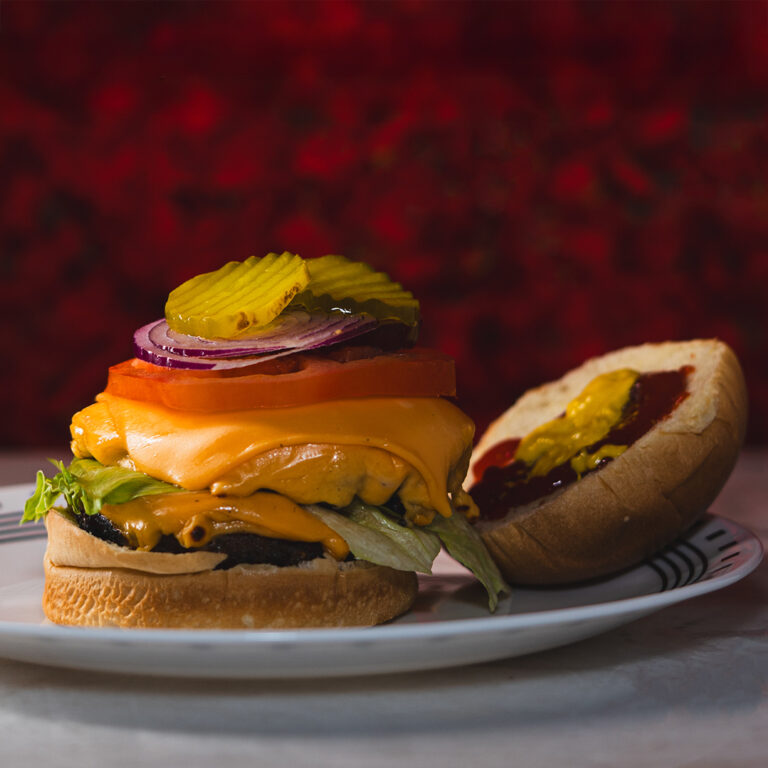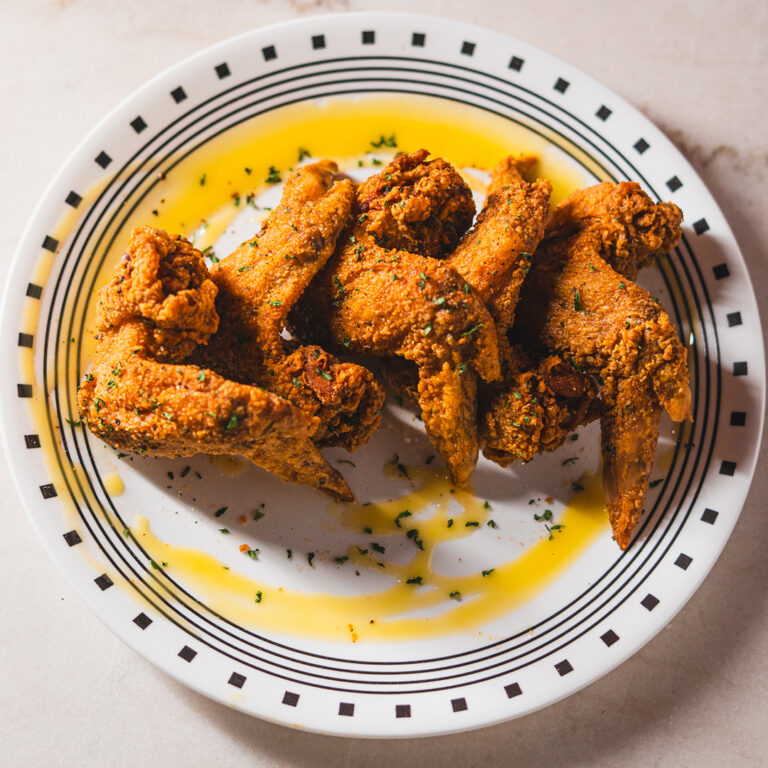

Sometimes you want Preva Kitchen without planning a full dine-in visit.
Maybe you are heading home after work, planning dinner for the family, organizing a movie night, or simply do not feel like cooking. In those situations, pickup and delivery can make dinner much easier.
Guests looking to order Preva Kitchen online can check Preva Kitchen on delivery platforms such as DoorDash, Uber Eats, or Grubhub, depending on current availability in their area.
The best platform will not necessarily be the same every time. Delivery fees, service charges, estimated arrival times, promotions, and menu availability can vary from one app to another.
The easiest approach is to decide what you want to eat, choose between pickup and delivery, and then compare the platforms currently available to you.
Quick Answer: How Do You Order Preva Kitchen Online?
The ordering process is simple:
- Decide whether you want pickup or delivery.
- Open DoorDash, Uber Eats, or Grubhub.
- Search for Preva Kitchen and confirm the correct location.
- Browse the available menu.
- Add your food and select any available customizations.
- Review the estimated preparation or delivery time.
- Check all fees and the final order total.
- Confirm your address and payment details.
- Place the order and follow the updates provided by the platform.
Availability can vary by platform, time, and delivery address, so check each app when you are ready to order.
Craving Preva Kitchen?
Skip the wait and enjoy your favorite chef-driven dishes. Whether you’re ordering
for yourself or planning a family meal, Preva makes it easy to enjoy great food.
Start by Choosing Pickup or Delivery
Before comparing different apps, decide what works best for your evening.
Choose Pickup When:
- you are already near Redford Township
- you are heading home from work
- you prefer collecting the food yourself
- you want to avoid some delivery-related charges
- you want more control over when you receive your meal
Choose Delivery When:
- you want to stay home
- you are ordering for family or friends
- you are planning a movie or game night
- transportation is inconvenient
- convenience is more important than picking up the order yourself
Neither choice is automatically better.
Pickup may help reduce additional costs, while delivery can save time and effort. The right option depends on your location, schedule, current fees, and how quickly you want the food.
Check the Menu Before Choosing a Platform
It helps to have an idea of what you want before comparing delivery apps.
Guests can review the Preva Kitchen menu to explore current food choices before placing an order.
You may be planning:
- a quick dinner for one
- a meal for two
- dinner for the family
- food for a movie night
- shareable items for friends
- a larger group order
Once you know what kind of meal you want, comparing platforms becomes easier.
Keep in mind that menu availability on third-party apps can change. A dish shown on the restaurant menu may not always be available for pickup or delivery at the exact moment you order.
Always confirm availability before checkout.
How to Order Preva Kitchen Through DoorDash
DoorDash can be a convenient choice for customers who already use the platform.
Open the DoorDash app or website and search for Preva Kitchen.
Before ordering, confirm that you are viewing the correct location.
Then:
- Select pickup or delivery when available.
- Confirm your delivery address.
- Browse the current menu.
- Add your chosen food.
- Select any available customizations.
- Review the estimated timing.
- Check service and delivery charges.
- Confirm the complete order total.
Do not compare platforms based only on the listed food price.
Service fees, delivery charges, taxes, promotions, and tips can all affect what you actually pay.
The number that matters most is the final checkout total.
How to Order Preva Kitchen Through Uber Eats
Uber Eats works in a similar way.
Search for Preva Kitchen and confirm the restaurant location before adding items to your cart.
Choose your food and review any customization choices offered through the platform.
Before placing the order, check:
- food subtotal
- service fees
- delivery charges
- taxes
- promotions or discounts
- tip
- final total
- estimated delivery or pickup time
Uber Eats may be convenient if you already have a saved address, payment information, membership benefits, or an active promotion.
However, it is still worth checking the complete cost before paying.
A platform that initially looks cheaper may become more expensive once delivery and service charges are added.
How to Order Preva Kitchen Through Grubhub
Grubhub can be another option when Preva Kitchen is available on the platform.
The process is straightforward:
- Search for Preva Kitchen.
- Confirm the restaurant location.
- Enter your delivery address or choose pickup when available.
- Browse the menu.
- Add your food.
- Review the estimated timing.
- Check fees and the final total.
- Place the order.
Third-party platform availability can change, so do not assume that every service will always be available for every address or at every time.
If Grubhub is unavailable when you check, you can compare DoorDash or Uber Eats instead.
DoorDash vs Uber Eats vs Grubhub: Which Is Better?
There is no single answer.
The best platform depends on the specific order you are placing.
Compare the Final Cost
Look beyond the menu subtotal.
Check:
- service fees
- delivery fees
- taxes
- promotions
- membership benefits
- tips
- complete checkout total
One platform may have a lower delivery fee while another offers a promotion that makes the overall order cheaper.
Compare the Estimated Time
If you need dinner quickly, estimated delivery or pickup time may matter more than saving a small amount of money.
Check the current estimate before confirming the order.
Check Current Promotions
Delivery apps frequently offer temporary discounts or promotions.
A promotion may make one platform more affordable on a particular day, but it may not be available the next time you order.
Consider Membership Benefits
If you already have a membership connected to one delivery service, it may affect delivery costs or other fees.
Check Menu Availability
A specific dish may be available through one platform but temporarily unavailable through another.
When you already know exactly what you want, check item availability before comparing everything else.
The best choice is the platform that offers the right balance of food availability, timing, convenience, and total cost.
When Pickup Makes More Sense
Delivery is convenient, but pickup can sometimes be the more practical choice.
Suppose you are already driving through Redford Township after work.
Instead of going home and waiting for a delivery driver, you may prefer to order ahead and collect dinner on your way.
Pickup can also work well when you are ordering:
- dinner after work
- a family meal
- food before a movie night
- dinner for a small gathering
- food before heading to another destination
Before leaving to collect your order, check the preparation estimate or order status provided by the app.
This helps reduce unnecessary waiting.
When Delivery Is Worth the Convenience
There are also evenings when leaving home is exactly what you want to avoid.
Maybe you have had a long day.
Maybe the weather makes another trip inconvenient.
Maybe friends are already at your house.
Maybe you are watching a movie or game.
Or maybe you simply want dinner brought to you.
In those situations, delivery may be worth the additional cost.
Before confirming, compare the delivery total with the pickup option and decide whether the extra convenience is worth the difference for your evening.
Ordering Preva Kitchen for a Family or Group
Ordering for several people requires a little more planning.

Instead of opening the app immediately, collect everyone’s choices first.
Then:
- confirm how many people are eating
- decide whether anything will be shared
- collect individual orders
- check quantities
- review sides and add-ons
- confirm the delivery address
- double-check the cart
This prevents the familiar problem of reaching checkout and discovering that someone forgot to add their meal or side.
For larger orders, consider ordering earlier rather than waiting until everyone is already hungry.
Preparation and delivery may take longer during busy periods.
Not Sure What to Order?
Explore customer favorites, signature entrées, and crowd-pleasing appetizers before placing your order.
Check Your Order Before You Pay
A quick review can prevent an avoidable mistake.
Before confirming the order, check the following:
Restaurant
Make sure you are ordering from the correct Preva Kitchen listing.
Pickup or Delivery
Confirm that you selected the right order type.
Delivery Address
Check the full address, apartment or unit number, and any useful delivery instructions.
Food Items
Review every item and quantity.
Customizations
Confirm any sauces, sides, flavors, protein choices, or other selections.
Timing
Look at the latest estimated preparation or delivery time.
Final Cost
Review all taxes, service charges, delivery fees, promotions, and tips.
Taking one minute to review everything can save a lot of frustration later.
Why Fees and Delivery Times Can Change
Third-party ordering information is dynamic.
Delivery fees may change.
Service charges can vary.
Promotions expire.
Estimated delivery times can increase when restaurants or drivers are busy.
Individual dishes may also become temporarily unavailable.
That is why an old screenshot or previous order should not be treated as the current price or delivery estimate.
Always use the information shown at checkout when you are ready to place your order.
What If Your Preferred Delivery App Is Unavailable?
If you cannot find Preva Kitchen on your preferred platform, check another service.
For example:
- try DoorDash if Uber Eats is unavailable
- check Uber Eats if Grubhub is not showing the restaurant
- compare Grubhub when it is available
- consider pickup instead of delivery
Availability may depend on your address, delivery distance, restaurant hours, or the platform itself.
Having more than one app to check gives you additional flexibility.
Which Ordering Method Should You Choose?
The easiest way to decide is to match the platform to your priorities.
For convenience: Compare the delivery options currently available.
For potentially lower extra costs: Look at pickup.
For speed: Compare current estimated times.
For a promotion: Choose the platform offering the best current deal.
For a specific menu item: Check which app currently has it available.
For a group order: Compare total fees before placing a larger order.
There is no universal winner between DoorDash, Uber Eats, and Grubhub.
The best option can change depending on when you order, where you are located, and what you want to eat.
Ready to Order Preva Kitchen Online?
Ordering dinner should make your evening easier.
Start by reviewing the Preva Kitchen menu.
Decide whether pickup or delivery works better.
Then search for Preva Kitchen on DoorDash, Uber Eats, or Grubhub.
Compare current availability, estimated timing, and the complete checkout total before placing your order.

Whether you choose pickup on the way home or delivery for a relaxed night in, the goal is simple: get the food you want using the option that works best for your schedule.
Frequently Asked Questions
1. How can I order Preva Kitchen online?
Search for Preva Kitchen on delivery platforms such as DoorDash, Uber Eats, or Grubhub. Availability may vary depending on your location and the time you order.
2. Can I order Preva Kitchen through DoorDash?
DoorDash may be available as an online ordering option. Check the current ordering page for availability, fees, and timing.
3. Can I order Preva Kitchen through Uber Eats?
Uber Eats may be available for pickup or delivery depending on your location and current platform availability.
4. Is Preva Kitchen available on Grubhub?
Grubhub may be offered as an ordering option, but availability can change. Check the current ordering page before placing your order.
5. Which is cheaper: DoorDash, Uber Eats, or Grubhub?
There is no fixed answer. Compare the final checkout total, including service fees, delivery charges, promotions, taxes, and other costs.
6. Can I pick up my Preva Kitchen order?
Pickup may be available depending on the ordering option selected. Confirm the current preparation time before placing your order.
7. Can I order without using a delivery app?
A call-to-order carryout option may be available for guests who prefer placing a pickup order directly.
8. Should I check the menu before ordering?
Yes. Reviewing the menu first can make ordering easier, but final item availability should still be confirmed on the platform you choose.
9. Which platform is best for ordering Preva Kitchen?
The best platform depends on current menu availability, estimated timing, promotions, fees, and whether you prefer pickup or delivery.
Your Next Meal Is Just a Few Clicks Away
Order online for pickup or delivery, or reserve a table to enjoy the complete Preva dining and nightlife experience.
Written by PREVA Team
Bringing you chef stories, menu inspiration, kitchen updates and food worth sharing from Redford.